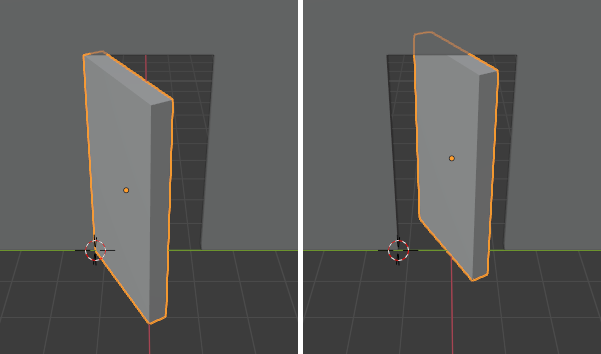
Blender 3D Viewport Controls – Pivot Type #2 – 3D Cursor Posted on February 26, 2024February 26, 2024 by admin Table of Contents Toggle 3D CursorExampleReferences 3D Cursor 모드: Object, Edit모드에서 사용가능헤더위치: Pivot Point ‣ 3D Cursor단축키: Period 3D 커서 위치에 피벗점을 배치합니다. Example 아래 이미지는 3D 커서를 중심으로 개체를 회전하는 것(왼쪽)과 중앙값을 중심으로 개체를 회전하는 것(오른쪽)의 차이점을 보여줍니다. 중앙점과 비교하여 3D 커서를 중심으로 회전합니다. References Blender 4.0 Manual > SECTIONS > Editors > 3D Viewport > Controls > Pivot Point > Pivot Types > 3D Cursor